Onboarding Readiness
The onboarding workspace helps school admins confirm that academic setup, people records, timetable data, fee setup, and calendar data are ready before launch.
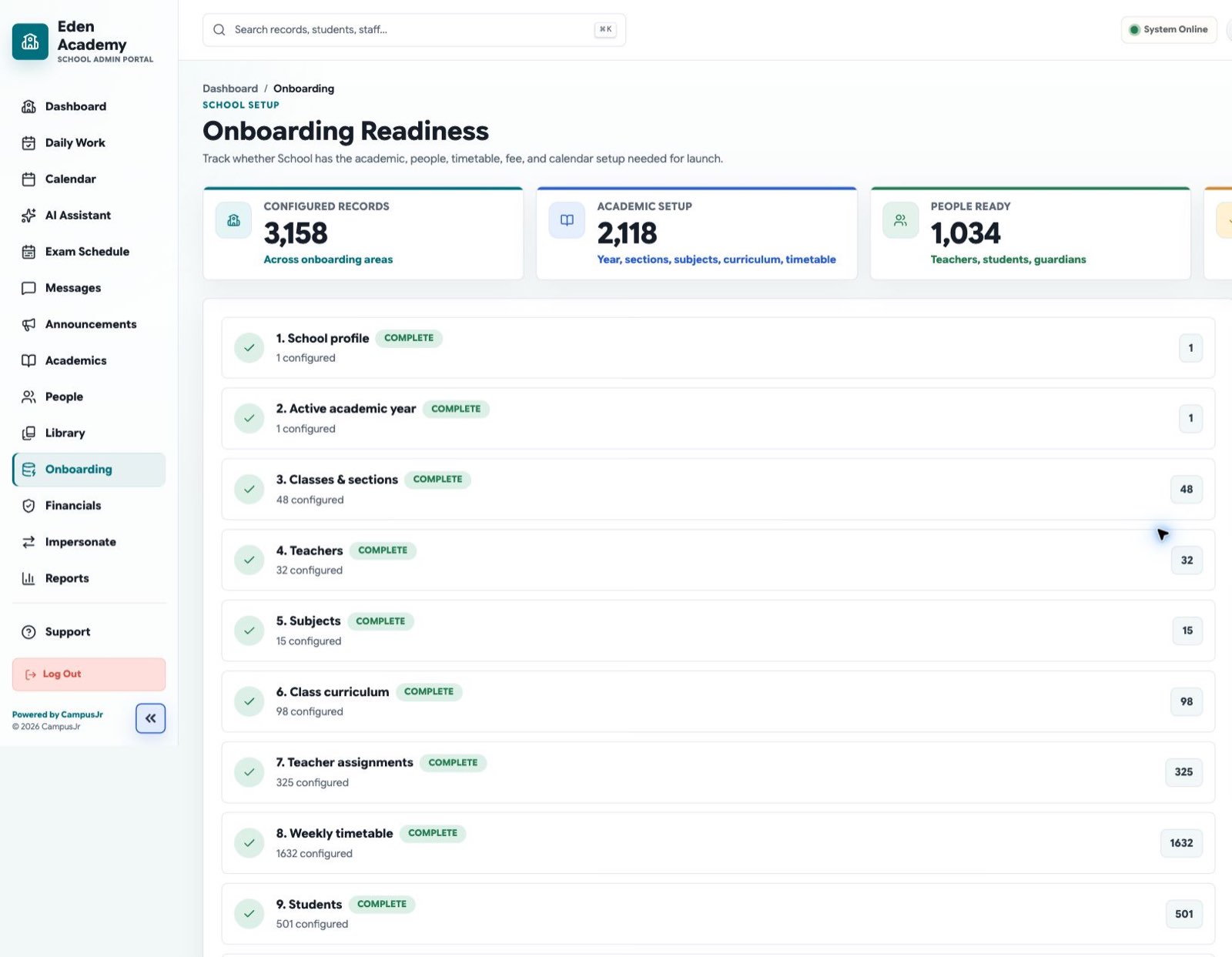
Onboarding work is fastest when the school follows one setup order and clears blockers before teachers begin class operations.
What to confirm
- School profile and core settings are complete.
- An active academic year exists.
- Classes, sections, and teachers are mapped.
- Students and guardians are available or ready for import.
- Timetable and calendar data are present.
- Finance setup is ready for fee assignment.
Recommended flow
- Open
Admin > Onboarding. - Review any incomplete readiness cards first.
- Resolve missing setup directly or route it to the correct owner.
- Use the workbook import when people and timetable data are large.
- Re-check the readiness summary before school launch.
When to use workbook import
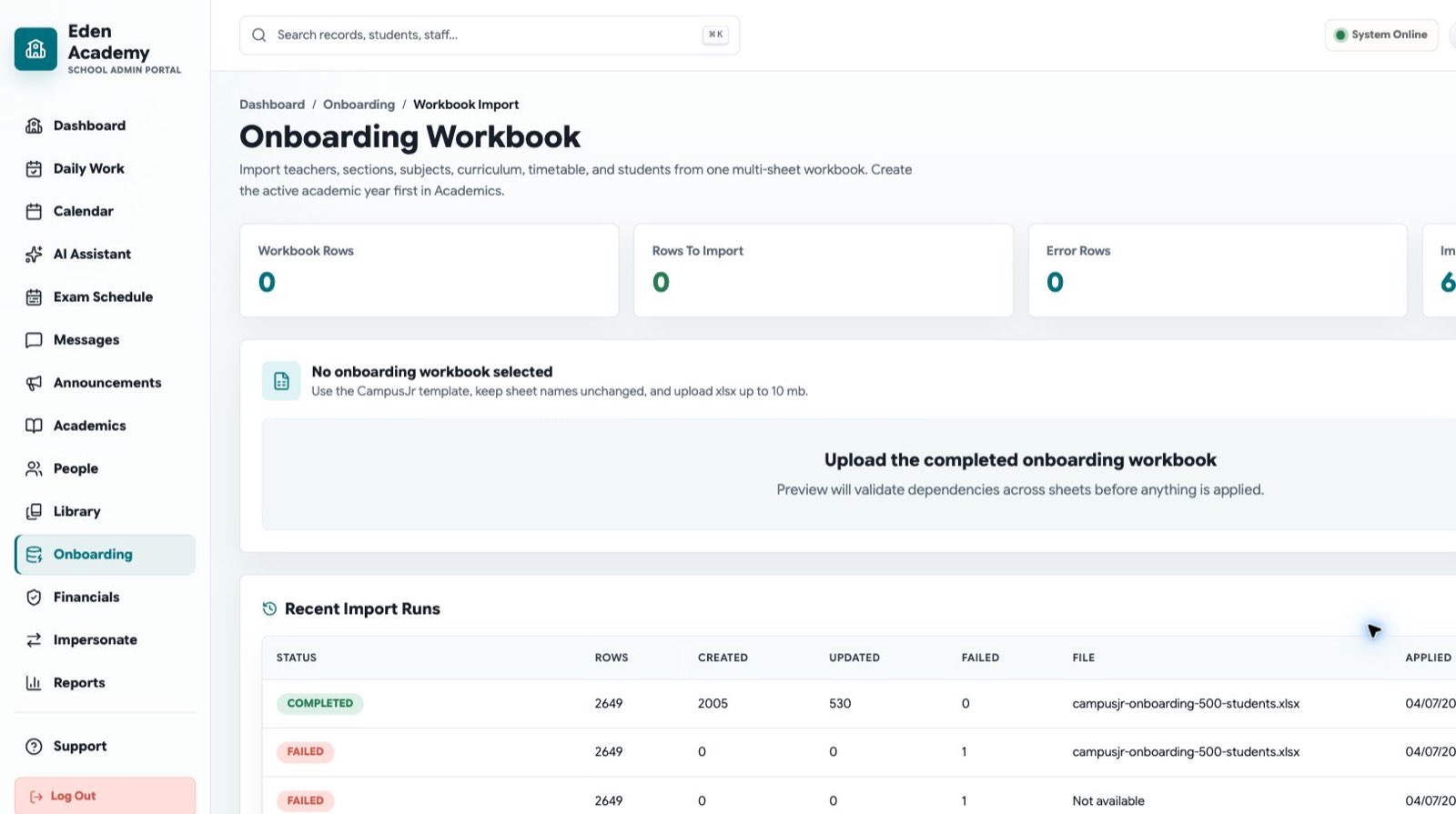
Use Onboarding Workbook Import when you need to create or update teachers, sections, subjects, curriculum, timetable rows, students, guardians, and enrollments in one pass.
Good operating habits
- Finish academic year setup before importing class-linked records.
- Confirm teacher assignments before attendance day one.
- Keep the calendar and timetable aligned so teacher and admin views match.