Getting Started
campusJr helps schools manage daily administration, teaching tasks, fee tracking, announcements, and reports from one platform.
The school web portals remain the main setup and administration experience. The campusJr mobile app is also available for supported teacher, parent, and student workspaces.
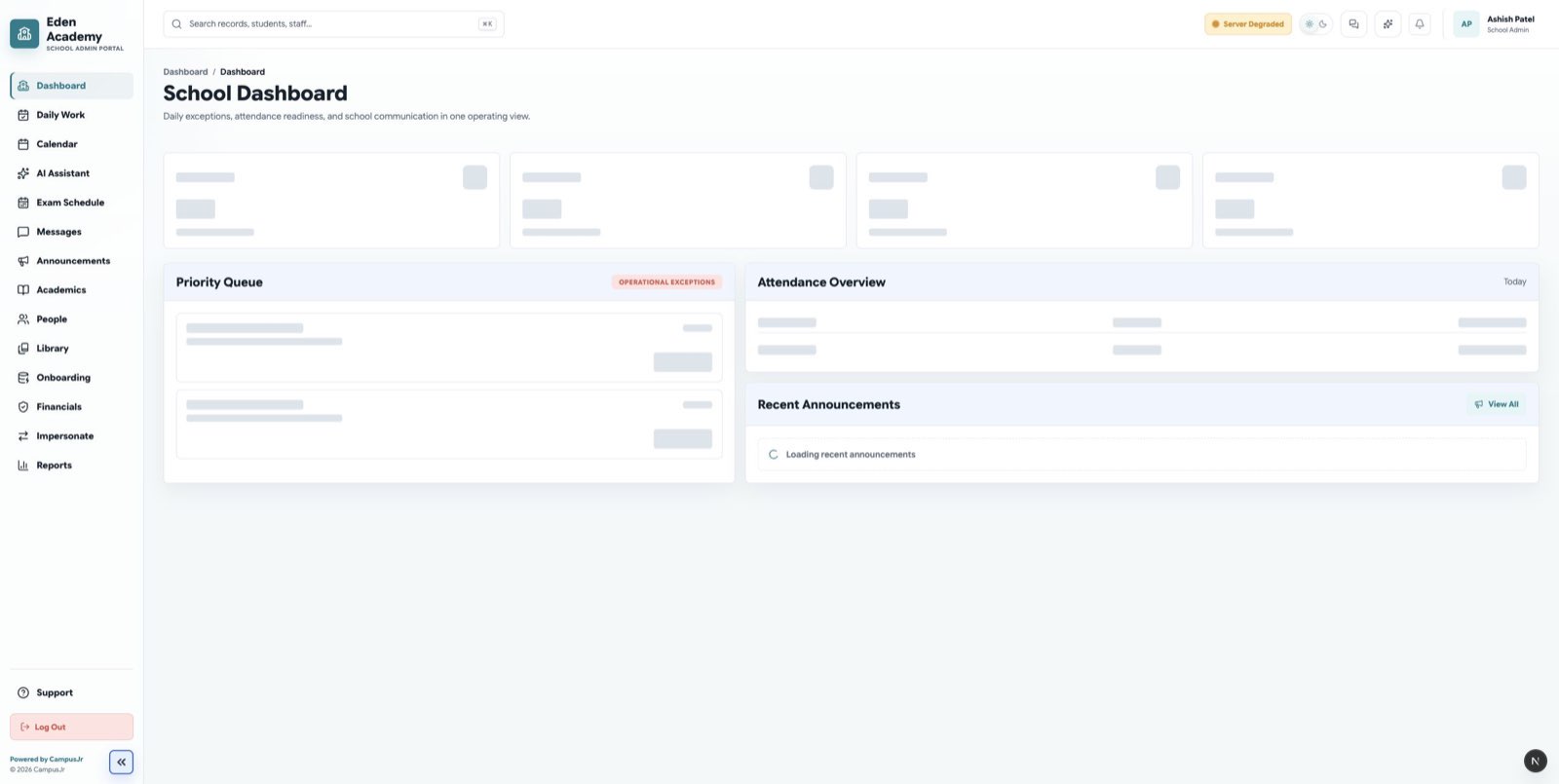
Start by signing in through the web portal for your role. The current school-facing web roles are school admin, principal, accountant, teacher, and librarian.
Signing in on mobile
Teachers, parents, and students who have a supported school membership can sign in to the mobile app with their school-provided credentials.
- After signing in, choose the workspace that matches the school and role you need to use.
- If there is only one available mobile workspace, campusJr opens it automatically.
- Some legitimate roles may appear as unavailable when that mobile experience has not been released; use the appropriate web portal or contact your school instead.
- A platform-only account cannot open a school mobile workspace. Use the platform sign-in route for that account.
Allow notifications when prompted if you want mobile alerts for new messages and announcements. You can change this later in the device settings.
Before you begin
Make sure your school has:
- A school admin account.
- The current academic year and terms.
- Class and section names.
- Staff and teacher details.
- Student and guardian records.
- Fee plans and due dates, if fee tracking is enabled.
Recommended setup order
- Review the school profile.
- Set up the academic year and terms.
- Add school admins, principals, accountants, teachers, and staff.
- Create classes and sections.
- Add students and guardians.
- Assign students and teachers to sections.
- Configure fee plans and dues.
- Publish the first announcement.
- Ask teachers to sign in and mark attendance for their assigned sections.
After setup, the admin dashboard becomes the daily starting point for school operations.
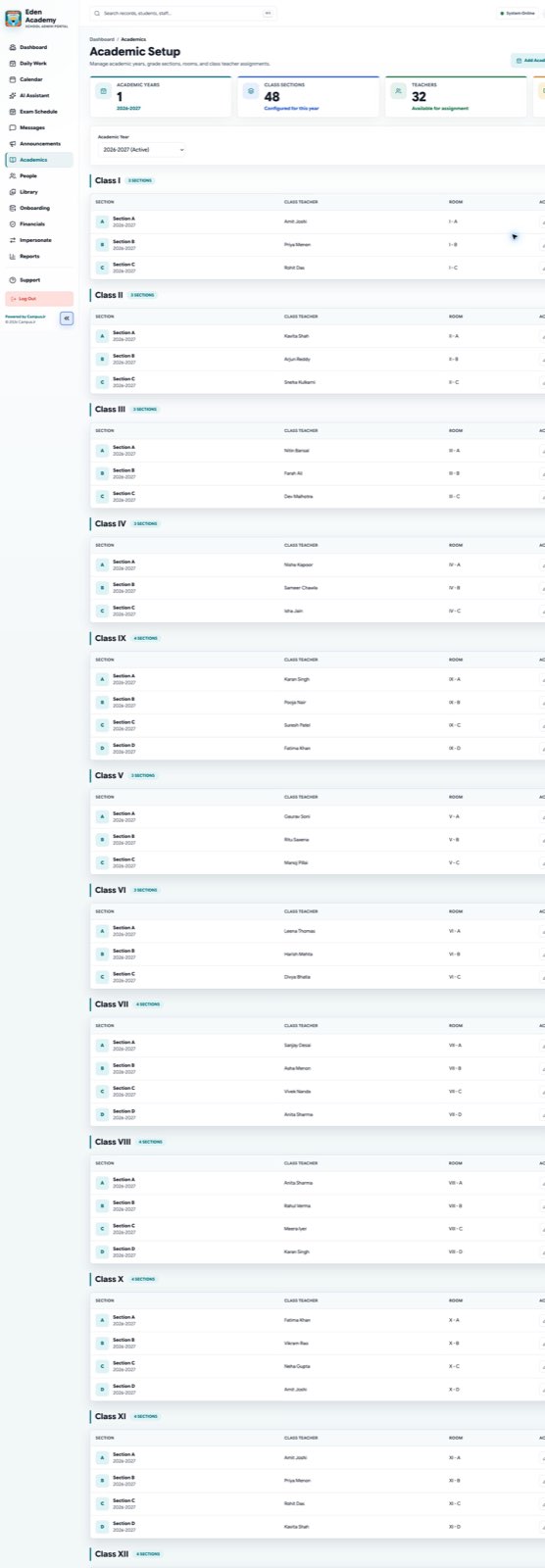
Create classes and sections before assigning students and teachers.
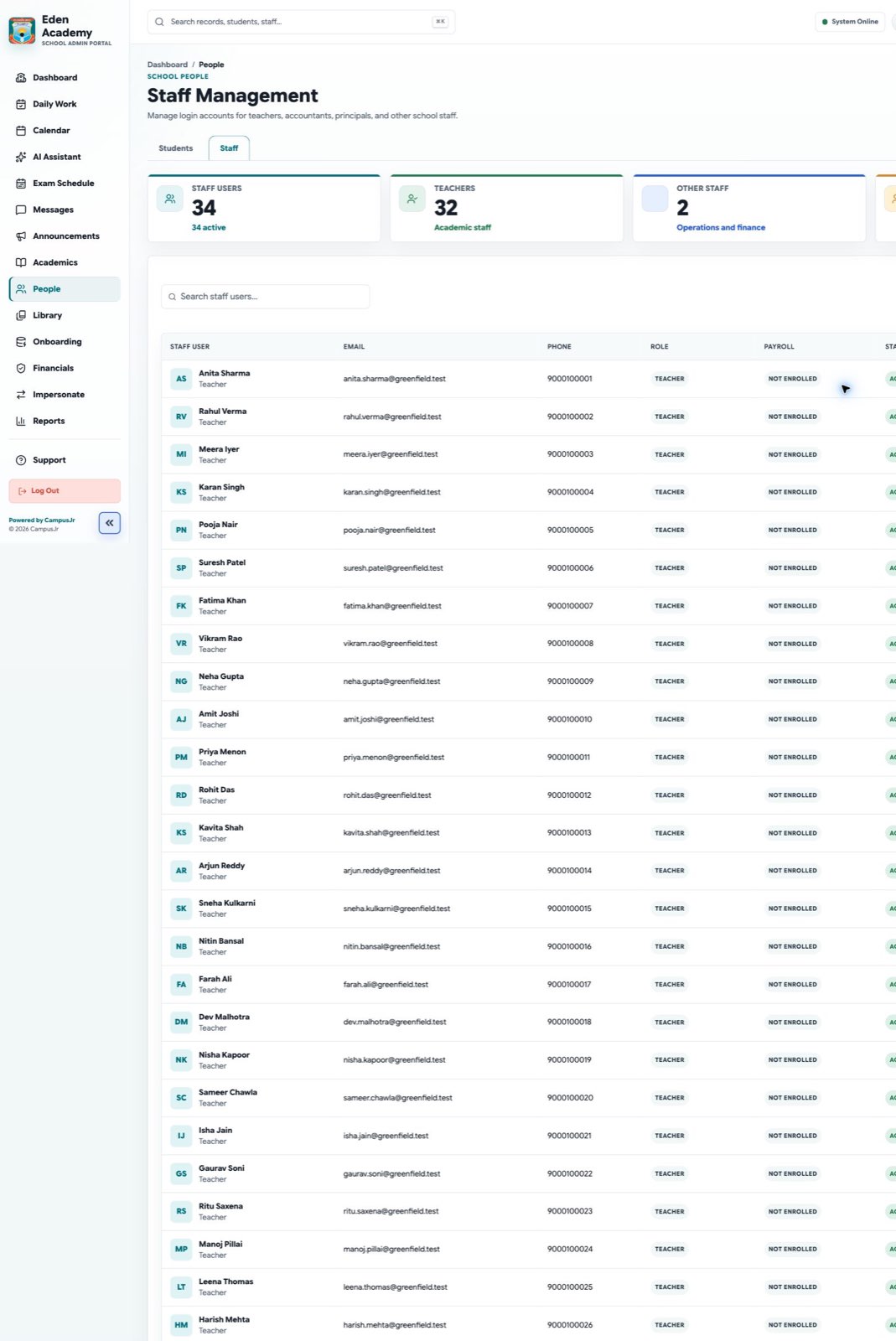
Student profiles bring enrollment, guardian, and school record details into one view.
Good operating habits
- Keep student and guardian phone numbers current.
- Review attendance exceptions daily.
- Use clear titles and dates for announcements.
- Reconcile fee payments and failed payment records regularly.