Fees and Payments
campusJr supports the full student-fee lifecycle: plan assignment, dues generation, manual collection, online payment tracking, reminders, receipts, and reconciliation.
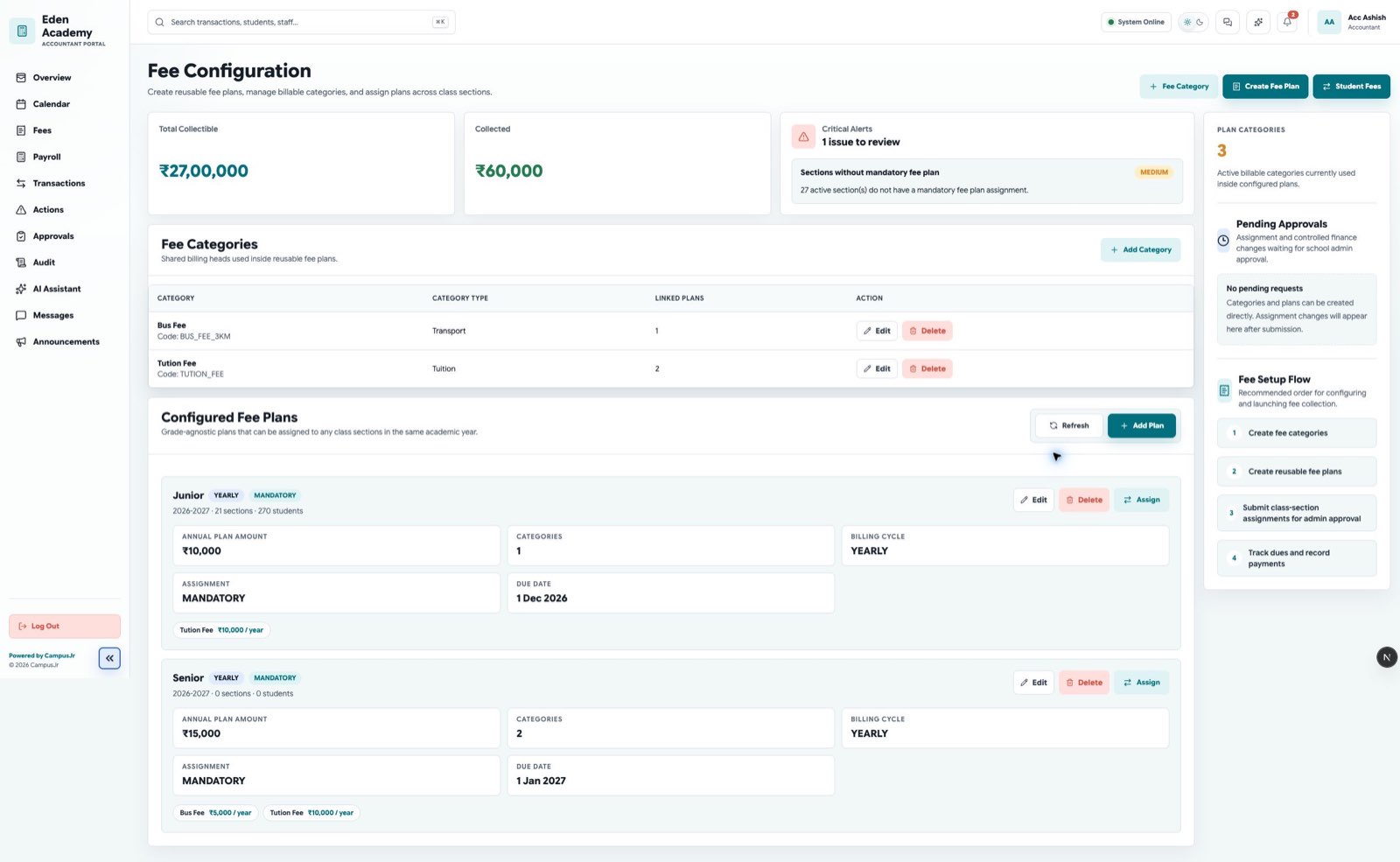
Start by setting up the fee categories your school uses for plans and dues.
Fee plan workflow
Use this page for the end-to-end lifecycle. For setup details, also see Fee Configuration.
- Create fee categories.
- Create a fee plan.
- Assign the fee plan to classes, sections, or students.
- Review generated dues.
- Track payment status.
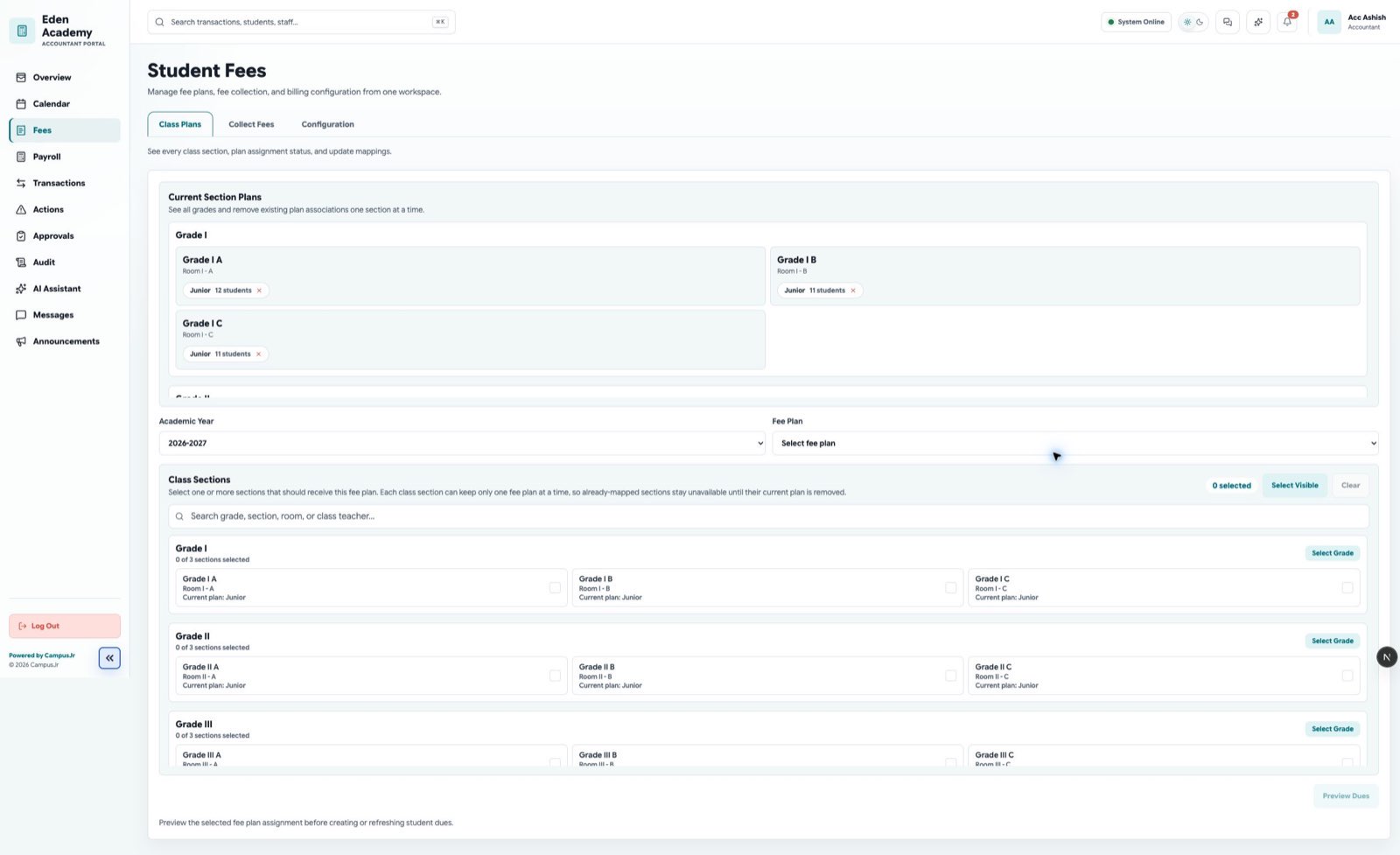
Student fee management shows dues, payment status, and account-level follow-up work.
Payment states
- Due: Payment is expected.
- Partial: Part of the amount has been paid.
- Paid: The due is fully paid.
- Overdue: The due date has passed.
- Failed: Online payment failed or was not confirmed.
- Refunded: Payment was returned.
- Concession: Discount or waiver was applied.
Reconciliation
Online payment callbacks should update payment status automatically. Accountants should still review failed, refunded, and partial payments during daily reconciliation.
For collection-desk work and receipt handling, also see Fee Collection and Transactions.
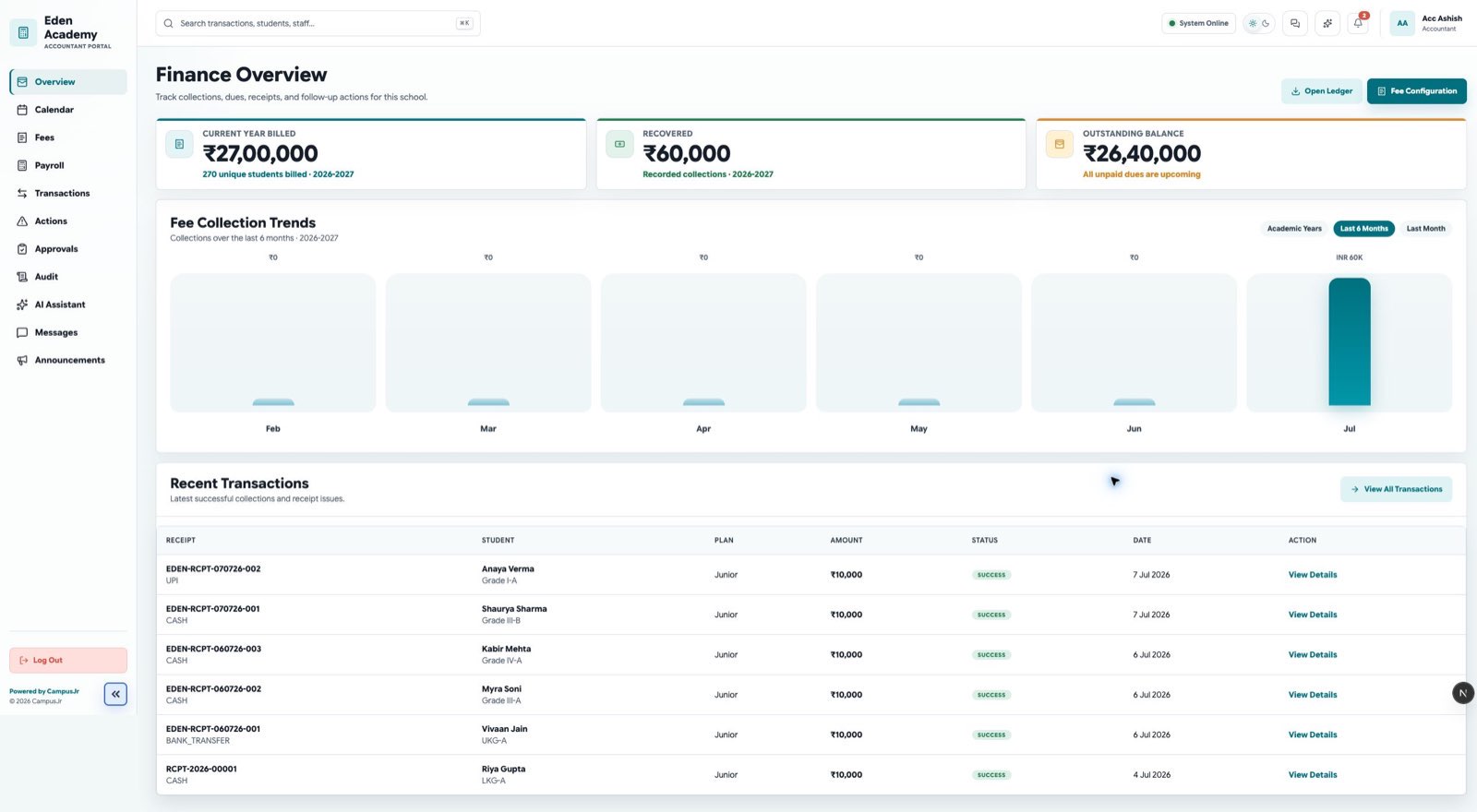
Use the financial overview to reconcile collections, overdue dues, and failed payment activity.