Fee Configuration
Fee Configuration is where accountants define billable categories and reusable fee plans for the school.
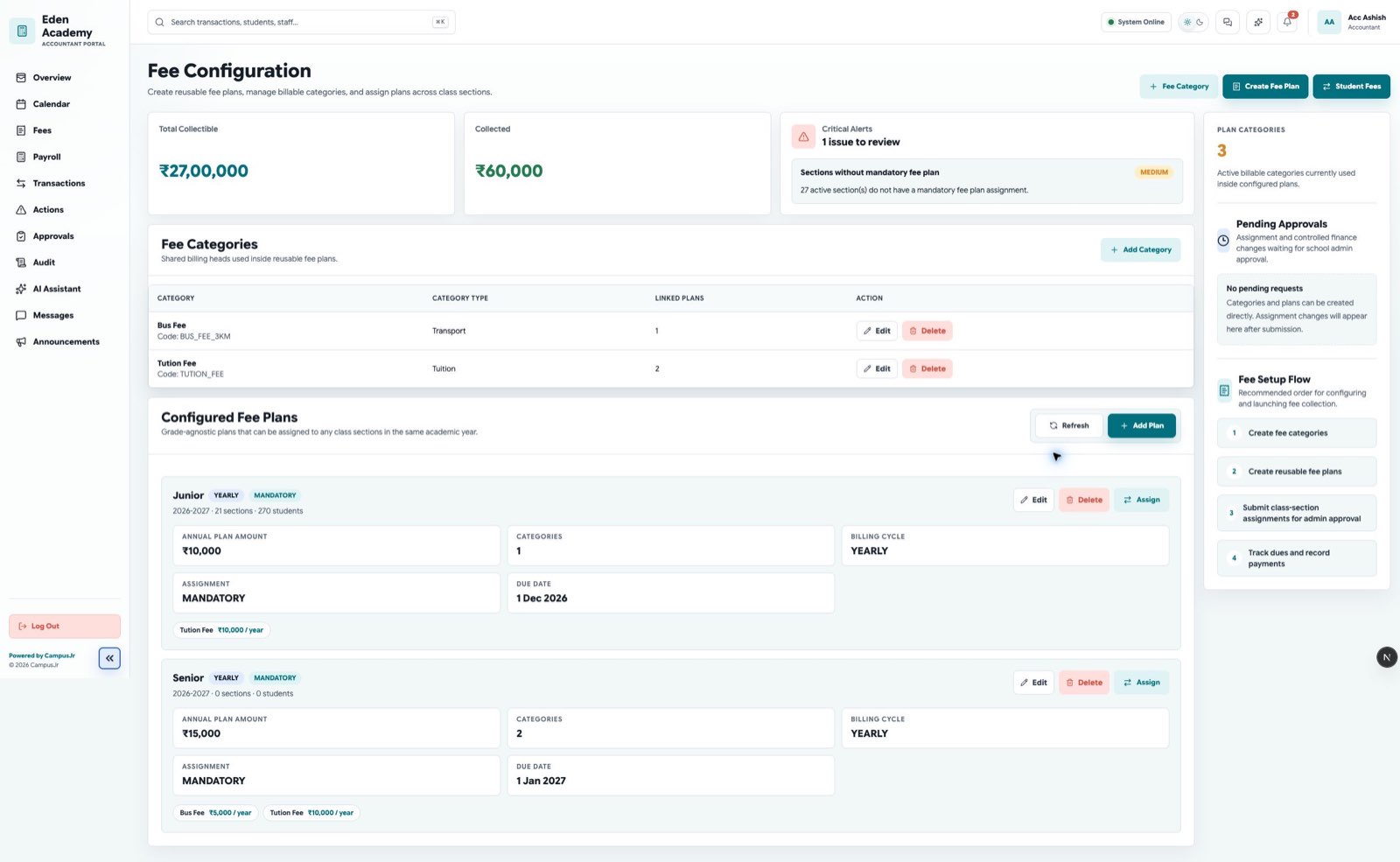
Create the fee catalog first, then build plans that can be assigned across sections or student groups.
Main tasks
- Create or update fee categories and set a yearly amount and optional due date for the active academic year. The category code is generated from its name.
- Build reusable fee plans.
- Keep transport or optional billable heads separate when needed.
- Prepare plans before they are assigned for approval or use.
Recommended flow
- Create the fee categories you need.
- Create one or more reusable fee plans.
- Review the yearly category amounts and due dates.
- Use Fee Assignment to select one or more active yearly categories, choose individual students or whole class sections, preview the result, and confirm it.
- Use fee plans where the same multi-head structure should be reused; direct category assignment is useful for a focused set of annual charges.
Direct yearly category assignment
The preview shows how many student assignments will be created, updated, or left unchanged, the yearly total per eligible student, and any students the system will ignore. Review it before confirming.
Bulk yearly-category assignments apply immediately. The system records them as Auto approved in the finance approvals workspace so school admins can review the completed change. It does not overwrite a student's category set after a payment or concession has been recorded; matching sets are also left unchanged.
Only active categories for the selected academic year can be assigned. Keep the category names stable so ledgers and reports remain clear.
Good naming rules
- Use plan names that identify the academic year or student group.
- Keep category names stable so downstream reports stay readable.
- Retire unused plans carefully so new assignments are not blocked.